
ChatGPT used to be one thing: a chat box. Now it has three modes, and once you know what each one is for, choosing is easy.
Chat, Work and Codex are places to work. Astra, Sol and Luna are GPT-6 model choices in Work and Codex. Choose the workspace for the job, then choose its model.
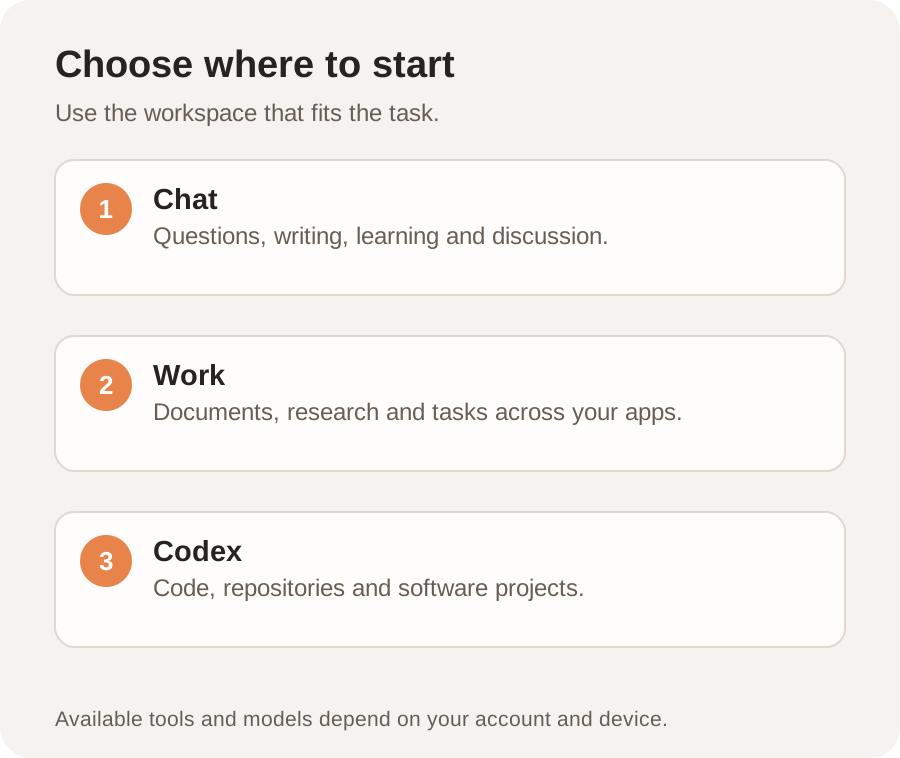
Here is the whole guide in one line: Chat is for answers. Work is for finished projects. Codex is for building software. If you remember nothing else, remember that.
At A Glance
Chat is your assistant. Quick answers, ideas, drafts, learning. Available anywhere.
Work is your operator. Finished files: spreadsheets, decks, reports, websites. Best on desktop.
Codex is your engineer. Building apps, tools and code. Desktop only.
All Three Are Free On The Desktop App
On the ChatGPT desktop app, Chat, Work and Codex are available on every plan, including the free one. On web and mobile the rollout is more staged, so if you do not see Work or Codex, the desktop app is the surest way in.
Chat: Your Everyday Assistant
This is the ChatGPT you already know and probably already use. It is fast, conversational and free. You ask, it answers. Nothing here has changed, and for a huge chunk of what people do with AI, this is still the right tool.
Use Chat when you want to ask a quick question, bounce around ideas, get a fast answer, write something short, or learn a new topic. If what you want is an answer or a quick bit of text, Chat is your mode. It is the one you reach for a dozen times a day.
Examples of good Chat asks
Explain compound interest like I'm 12.
Give me 10 name ideas for a coffee brand.
Reword this email to sound friendlier: [paste email]
What's a good weeknight dinner with chicken and rice?
Where to find it
It is the normal ChatGPT. On the desktop app there is a Quick chat button in the left sidebar, and on web or mobile it is just the standard chat you already open. Nothing to switch on.
Work: Your Operator
This is the big new one. Work is powered by ChatGPT's newest model, and instead of answering in the chat, it takes on a whole project and hands you finished work. You give it an outcome and it goes and does it, for as long as the job takes.
Hand Work a big task and it breaks the project into steps, pulls from your connected apps and files, and works in the background, sometimes for hours, until it hands you the finished thing: a real spreadsheet, a full slide deck, a written report, even a working website. Not a draft in a chat box you have to copy out. An actual file.
The one sentence that explains Work
Chat gives you answers. Work gives you deliverables. If you would normally take ChatGPT's answer and then go do the actual work yourself, Work is the mode that does that part too.
Examples of good Work tasks
Take the files in this folder and build me a spreadsheet with totals by category, then a 5-slide summary of the key numbers.
Research these 5 competitors and build me a one-page comparison of their pricing and positioning.
Where to find it
On the desktop app, click ChatGPT Work in the top-left corner to switch into it. On mobile, tap the dropdown at the top that says Chat or Work and pick Work. On web, choose Work when you start a conversation. Same account, just a different mode.
Tip: Work shines when you point it at real material, a folder of files, your connected apps, or specific links, and tell it exactly what finished thing you want. The clearer the brief, the better the deliverable.
Codex: Your Engineer
Codex is the mode for when you actually want to build software. An app, a tool, a website, or fixing something inside an existing codebase when it breaks. And here is the part that matters for most people: you do it by talking in plain English. You do not need to have written a single line of code in your life.
Use Codex when you want to build an app or a tool, spin up a working website, or fix and change existing code. If the end result is a piece of working software, Codex is your mode. For everything that is not code, Work or Chat will serve you better.
Examples of good Codex asks
Build me a simple website where people can sign up for my newsletter.
Something in my app broke and it won't load. Find the problem and fix it.
Where to find it
Codex works best in the ChatGPT desktop app. Go to the top-left and choose Codex. It is not available on mobile, this one really lives on your computer.
Do not let the word engineer scare you. You talk to Codex the same way you talk to Chat, in normal words. It handles the actual code. If you have ever thought "I wish I could just build a little tool for this", this is the mode that makes that possible without a course.
Which One Do I Use?
When you are not sure, run down this list.
Get a quick answer or explanation: Chat
Brainstorm, or draft something short and fast: Chat
Learn about a new topic: Chat
Turn a big project into a finished file: Work
Build a spreadsheet, deck or report from your data: Work
Have it pull from your apps and work for hours: Work
Build an app, tool or website: Codex
Fix or change something in code: Codex
The tell, if you are still stuck
Ask yourself what you want back. Want an answer, words on a screen? That is Chat. Want a thing, a finished file you would otherwise build yourself? That is Work. Want software, something that runs? That is Codex.
The One-Page Cheat Sheet
Chat. It is your assistant. Best for answers, ideas, drafts and learning. You get back a reply in the chat. Available anywhere via Quick chat. One word: answers.
Work. It is your operator. Best for finished projects and files. You get back a real file: a sheet, deck, report or site. Top-left, ChatGPT Work. One word: deliverables.
Codex. It is your engineer. Best for building software. You get back working code or an app. Desktop only, top-left, Codex. One word: software.
Your Action Plan
- Open the ChatGPT desktop app so you have all three.
- Keep using Chat for quick stuff, nothing changes there.
- Next time you would normally spend an hour building something, switch to Work and hand it the whole task.
- If you have got a little tool or site in mind, try Codex and just describe it.
That is the whole thing. Chat for answers, Work for finished projects, Codex for building software. Now you are in the 1% who actually knows when to use each.