|
Happy Wednesday everyone,
This week is wild. Someone just built a billion-dollar AI company with zero employees. Claude might have just killed video editors. ChatGPT can literally see through your camera now. And I found an AI fitness app that I can't stop playing with.
Let's get into it.
|
IN THIS EMAIL
» The billion-dollar company with no employees
» Craziest ChatGPT use case
» Claude just killed video editors
» ChatGPT can see through your camera
» How to write good prompts for AI
» Tool of the week: Rephorm
» From the DMs: How do I make money with AI?
|
📰 THIS WEEK'S RABBIT HOLE
Someone Just Built a Solo $1B Company Using AI
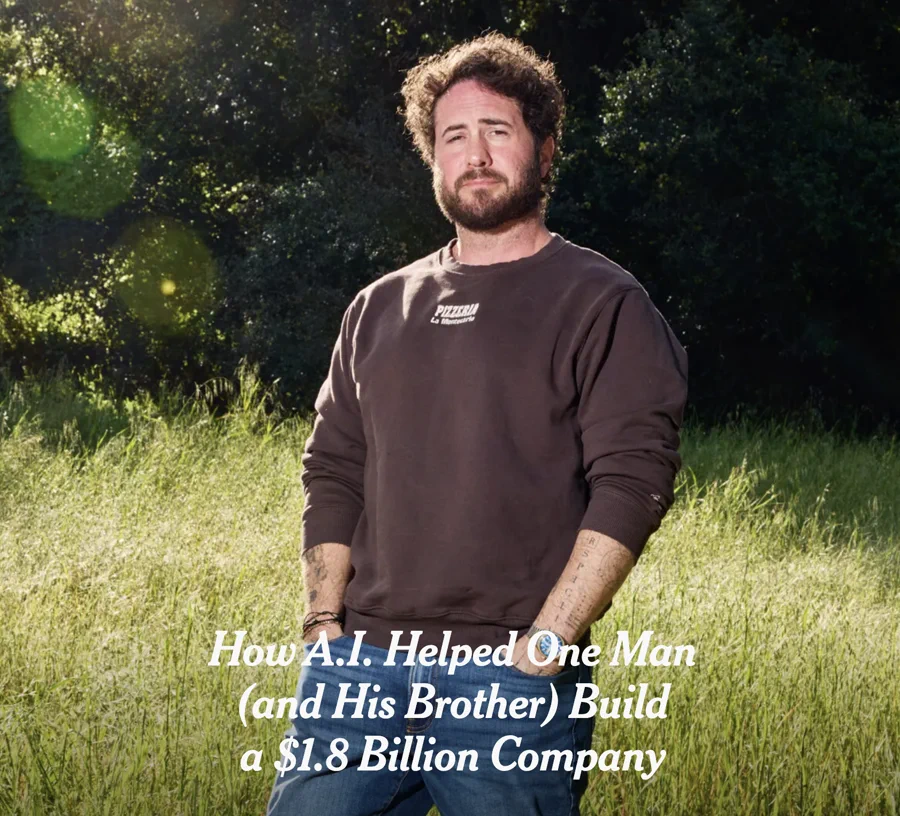
Sam Altman (CEO of OpenAI) said a while back that someone was going to build a billion-dollar company with AI and basically no employees. People thought he was exaggerating. He wasn't.
A guy named Matthew Gallagher launched a telehealth company called Medvi from his house with $20,000, no employees, and a bunch of AI tools. ChatGPT, Claude, Grok. He used them for everything: writing code, building the website, customer service, marketing. All of it.
The company did $401 million in sales in its first year. It's now tracking to hit $1.8 billion in 2026. His only hire is his brother.
Two people. $1.8 billion. Using the same tools you and I have access to right now. He literally just used ChatGPT and Claude the same way I teach you guys to use them every day. The playing field has never been more level.
🎥 VIDEO YOU MIGHT HAVE MISSED
Craziest ChatGPT Use Case
I shared this one a bit ago and people still love this one. It's one of the coolest use cases I've ever shared.
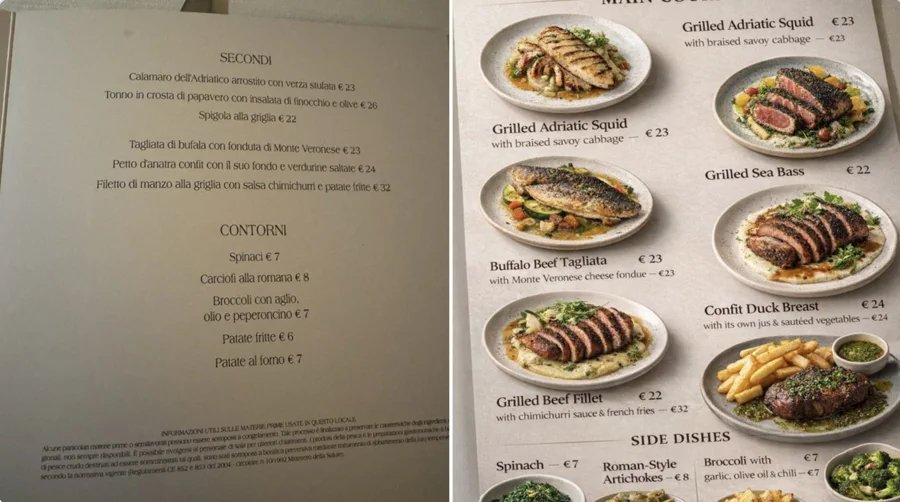
If you're ever traveling and you're at a restaurant with a foreign menu, take a photo of it and tell ChatGPT to make the whole thing visual. It will translate the text, identify the dishes, and generate perfect visuals of what each meal looks like based on the ingredients. The photos literally aren't real but they look incredible.
It might not be 100% accurate every time, but it's still incredible for getting a visual of what you're about to order. I use this one all the time and it's always super helpful when you have no idea what anything on the menu is.
Watch the full video on Instagram →
🧠 DEEP DIVE
Claude Just Killed Video Editors
I just put this video up yesterday and it's one of the coolest things you can do with Claude in a long time. I know this might sound technical for some of you, but I promise, if you spend any time editing videos during your day, this is a game changer.
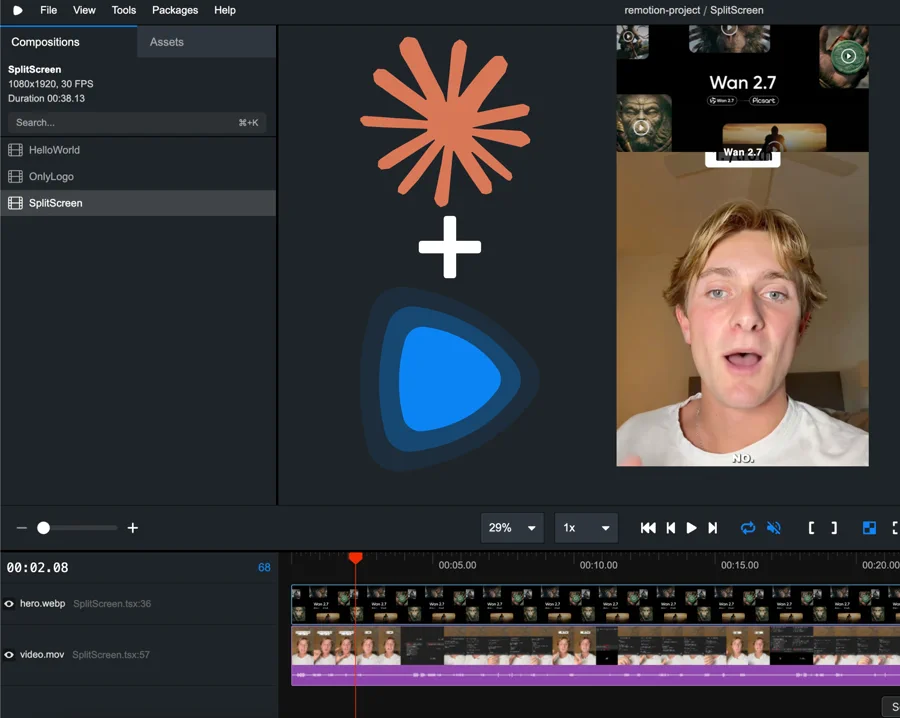
You can now edit any video using Claude Code. No editing software, no timeline dragging. You just tell Claude what you want and it does it. There's two ways to set it up:
The easy way: Grab the PDF from my resource hub (linked below) and upload the entire thing into Claude. It already has all the instructions built in so you don't need to worry about being technical. I put this together specifically to make it easy for you guys.
The manual way:
Step 1: Open the Claude desktop app and select Code.
Step 2: Google Remotion, click the first link, and copy the line of code.
Step 3: Paste it into Claude Code and hit enter. Once it's set up, type /remotion video and tell Claude what you want to make or edit. Want a revision? Just ask and it updates in real time.
I've been messing around with it and I will say it's not 100% there yet for the style of content I do, but it's getting close. For simplistic editing like meta ads or basic video content, it's getting really good.
Get the setup guide (download the PDF and upload it into Claude) →
💭 WHAT I'VE BEEN USING
ChatGPT Can See Through Your Camera
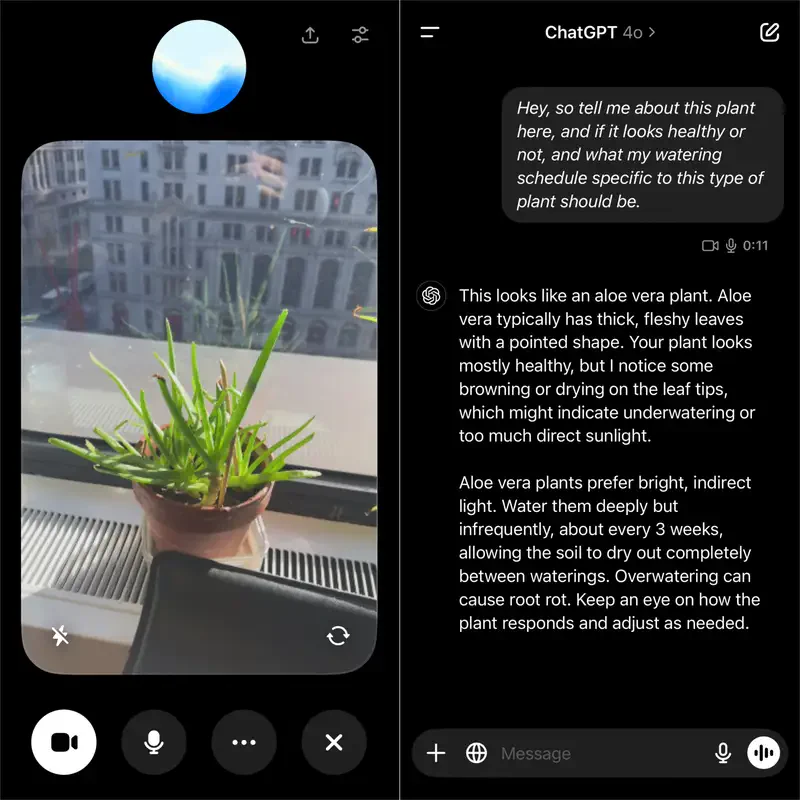
I made a video on this a while back and it's been a feature for about a year now, but a lot of people still don't know that ChatGPT can literally see through your camera and watch what you're doing in real time and help you out with things in real life.
Open ChatGPT, tap the voice mode button, and you'll see an option to turn on your camera. That's it. Now ChatGPT can see whatever you're pointing at and talk to you about it.
I pointed it at my lunch and asked how many calories were in the meal. It broke down the burger and fries and gave me a rough estimate in seconds. That's a simple example, but think bigger. Show it a cut on your arm and ask if it looks infected. Have it help your kid with homework. Point it at a chess board and have it tell you the right moves. I saw someone point it at a warning light on their car dashboard and ChatGPT literally diagnosed the problem and told them exactly what was wrong. It's like having a person with unlimited knowledge that can see exactly what you're doing in real time.
Watch the full walkthrough on Instagram →
💡 QUICK TIP
How to Write Good Prompts for AI
Just giving you guys a quick reminder on this one because I find that a lot of people are still struggling to prompt AI the right way. They type in a basic question, get a generic answer, and think the tool isn't that impressive. The problem isn't ChatGPT. It's the prompt. This prompting structure is really going to help and change your outputs.
The easiest framework to fix this is called RTF: Role, Task, Format.
Role: Tell ChatGPT who it should be. (e.g. "You are a senior marketing strategist.")
Task: Tell it exactly what you want it to do. (e.g. "Write me a 7-day content plan for Instagram.")
Format: Tell it how you want the response. (e.g. "Give it to me in a table with columns for day, topic, and caption.")
Here's what that looks like as one prompt:
|
You are a senior marketing strategist. Write me a 7-day Instagram content plan for a small coffee shop that wants to grow locally. Give it to me in a table with columns for day, content type, topic, and caption.
|
I promise you're gonna see a big difference. I've got 7 more frameworks like this on my resource hub if you want to go deeper.
See all 8 prompting frameworks →
🛠 MAVERICK'S TOOL OF THE WEEK
Rephorm
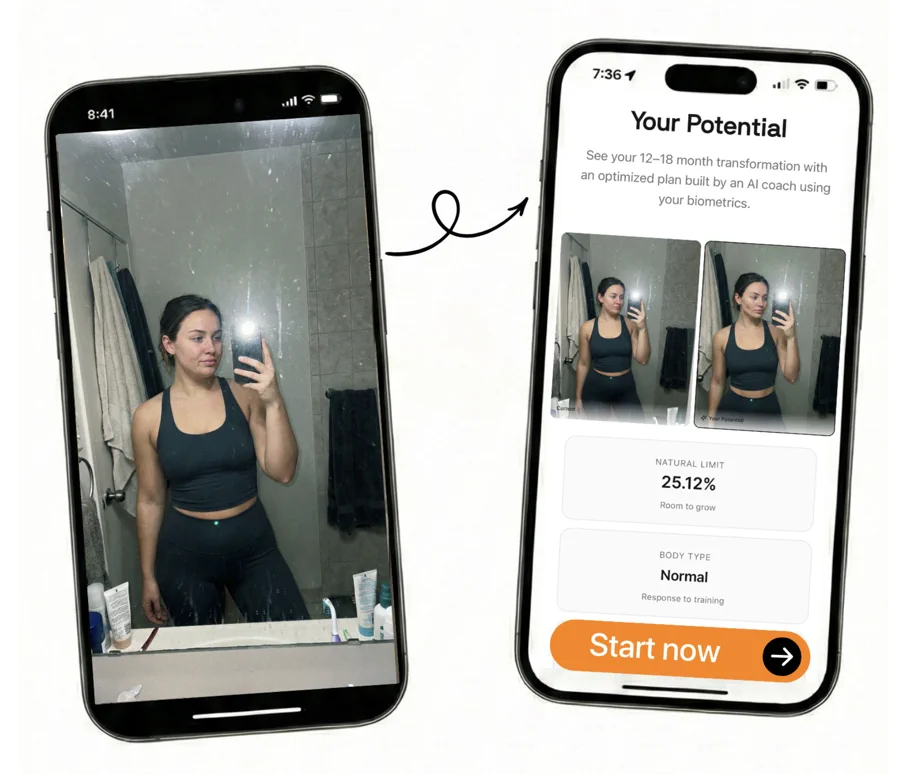
This is an AI-powered fitness app that I just found. It popped up for me on the App Store the other day and I decided to give it a download. I've been having a ton of fun with it.
You tell it your goals first, and then it uses AI to show you what your dream physique would look like. From there it builds you a completely custom training plan to actually get you there. I thought it was something really interesting and different from the usual AI tools I share.
I've been seeing a lot of these AI fitness apps popping up lately and I think they're super valuable and super cool. The fact that AI can now look at you, understand your body and goals, and build a fully personalized plan is pretty wild. If you're into fitness or you've been wanting to get in shape, definitely check this one out.
Download Rephorm on the App Store →
💬 FROM THE DMS
"How Do I Actually Make Money With AI?"
I get this one every single day. There are tons of different ways and it really depends on where you're at right now.
If you're an established professional or business owner, the smartest move is to integrate AI into what you're already doing. Use it to cut costs, streamline workflows, automate the stuff that eats up your time, and free yourself up to focus on what actually makes you money. My team and I have actually started offering this to a very select handful of businesses that want to work directly with me. I choose very carefully who I work with, but if you're serious about this, you can apply here.
If you're younger or just getting started, I think one of the smartest things you can do right now is start an AI UGC business. So many companies are looking for AI-generated UGC avatars for their ads and content. You can build an AI version of yourself or a completely new persona, create content at scale, and sell it to brands. The demand is there and not enough people are doing it yet.
See you Sunday.
Maverick
P.S. If you're a business owner looking to actually implement AI into your workflows, my team and I work with a small number of people and businesses to build custom AI systems, automations, and tools. If that sounds like you, apply here.
P.P.S. I just put together a newsletter archive of all my past emails. If you're new here and want to read what you missed, or if you ever skip one and want to come back to it, that link is always there for you.
|